
Lookback runs the session. We run the research around it.
Lookback is a good tool for watching people use your product, live or unmoderated. Great Question covers the session too, then adds what happens before and after it: recruiting from your own panel, scheduling, paying incentives, and keeping every study searchable in one repository.
Live and unmoderated sessions with observers and AI findings. Priced by session, billed annually.
Recruit, schedule, run, pay and analyze in one place. Priced by seat, with unlimited observers.
Trusted by 300+ customer-obsessed teams







 vs.
vs.
Two tools that overlap in the middle
Both products run moderated interviews and unmoderated tasks, transcribe them, and use AI to pull out findings. The difference is how much of the research workflow each one owns.
Lookback starts when a participant joins the session. Great Question starts earlier, with who you talk to and how you reach them, and keeps going after the session ends, with incentives and a repository your whole team can search.

Main differences Where Great Question goes further than Lookback
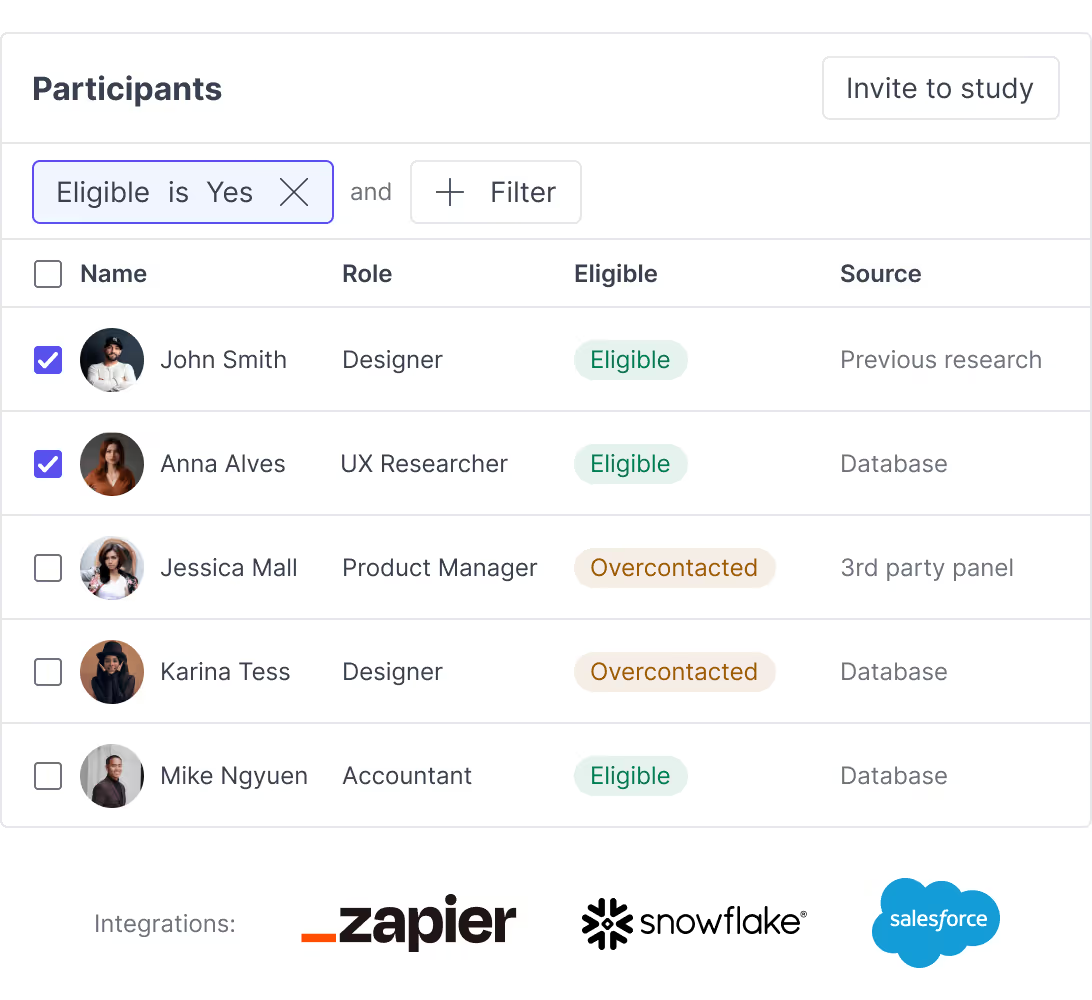
Recruit from your own customers
Great Question is a participant CRM as well as a session tool: import your customers, segment them, track who took part and when, and invite them again. Lookback sources participants through its User Interviews integration.
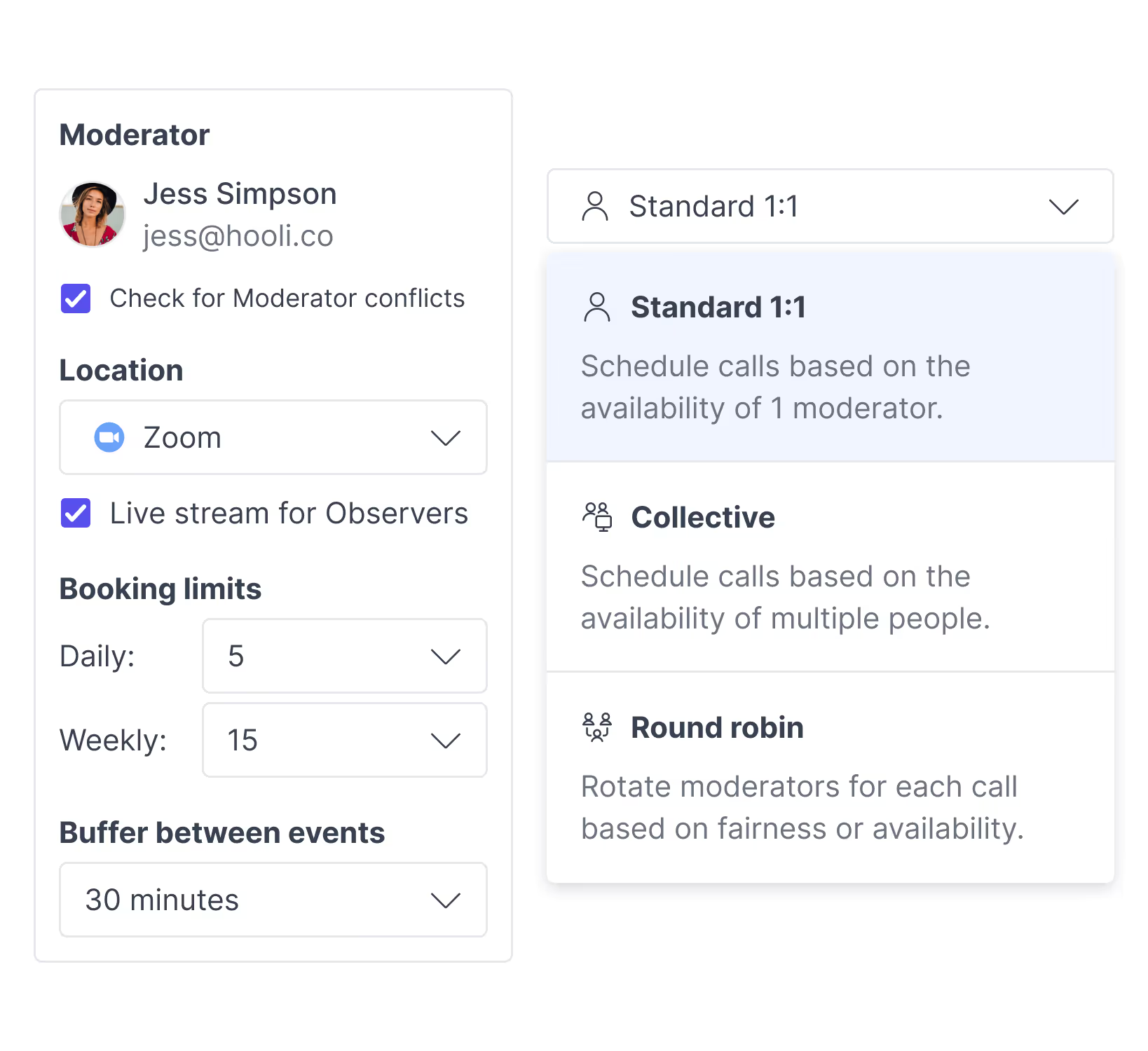
Scheduling and incentives built in
Participants book time against your team's calendars, including round robin, and get paid automatically when the session is complete. Incentives go out through Tremendous to 80+ countries. Lookback doesn't list scheduling or incentive payments.
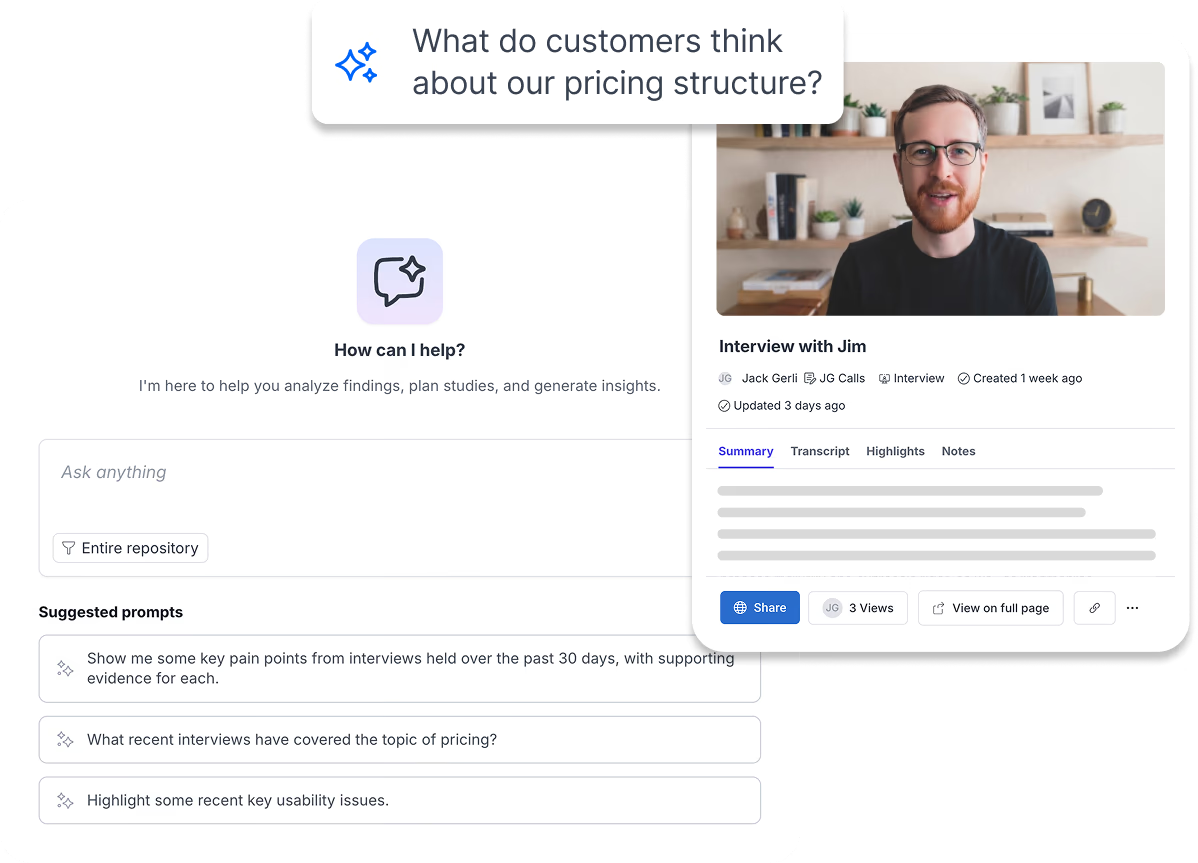
One repository across every study
Interviews, surveys and unmoderated tests land in one research repository, tagged and searchable, with Ask AI answering questions across projects on Enterprise.
Great Question vs Lookback, feature by feature
What each product offers, as listed on its own site on 5 October 2026.
| Feature | Lookback | Great Question |
|---|---|---|
| Run sessions | ||
| Live moderated interviews | ||
| Unmoderated tasks and prototype tests | ||
| AI moderation | AI follow-ups on unmoderated tasks | AI-moderated interviews (Enterprise add-on) |
| Observers | Observer role on Enterprise | Unlimited observers on every plan |
| Surveys | ||
| Card sorting and tree testing | Enterprise | |
| Recruit and pay | ||
| External participant panel | Via User Interviews | Respondent, plus User Interviews on Enterprise |
| Your own participant panel (CRM) | ||
| Scheduling against team calendars | ||
| Automated incentive payments | ||
| Analyze and share | ||
| Transcription | ||
| Highlight reels | ||
| AI findings and summaries | ||
| MCP server | Enterprise | |
| SOC 2 Type II | ||
A dash means the capability isn't listed on lookback.com or in Lookback's help centre as of 5 October 2026.
Lookback charges by the session. Great Question charges by the seat.
Lookback plans are annual and capped by session count. Great Question self-serve is per seat, monthly or annual, with no session cap.
Solo
- Lookback Freelance
- $299/yr
- Self-serve
- $129/mo
Lookback is cheaper if you run 10 sessions a year. Freelance includes 10 sessions; more cost $299 per 10.
Team
- Lookback Team
- $1,782/yr
- Self-serve
- $129/seat/mo
Lookback Team includes 100 sessions and 10 collaborators. Great Question adds the panel, scheduling, surveys and incentives, with unlimited observers.
Enterprise
- Lookback Enterprise
- Custom
- Great Question
- Custom
Lookback's Insights Hub plan is $4,122/yr for 300 sessions. Above that, both are custom.
Lookback prices from lookback.com/pricing, 5 October 2026. Lookback plans are billed annually. External participants are charged separately on both products.
When to choose either tool
Choose Lookback if:
You mainly need to record and watch sessions, live or unmoderated, with recruiting handled through a panel, and you run a predictable number of sessions a year.
Choose Great Question if:
You run research with your own customers, more than one method, or more than one team. You want recruiting, scheduling, incentives and the repository in the same place as the sessions, and stakeholders who can watch without a seat.
Moving from Lookback
Download your recordings and transcripts before your contract ends, upload them to the Great Question repository, and import your participant list by CSV. The Lookback migration guide walks through each step.
- Recordings: upload MP4, MOV or M4V files and they're transcribed automatically.
- Participants: import a CSV and map each column to a candidate attribute.
- Timing: Lookback keeps sessions for 90 days after a paid plan is cancelled, then deletes them.
Frequently asked questions
Is Lookback shutting down?
No. Lookback is actively maintained. It released an MCP server and AI moderation for unmoderated tasks in April 2026, and its changelog shows updates through mid-2026.
What's the main difference between Great Question and Lookback?
Lookback focuses on running and recording sessions. Great Question runs sessions too, and adds a participant CRM, scheduling, incentive payments, surveys and a repository that spans every study.
How much does Lookback cost compared to Great Question?
Lookback is billed annually by session: Freelance is $299 a year for 10 sessions, Team is $1,782 a year for 100 sessions, Insights Hub is $4,122 a year for 300 sessions, and Enterprise is custom. Great Question self-serve is $129 per seat per month, up to 5 seats, with no session cap. Enterprise is custom.
Can I move my Lookback recordings into Great Question?
Yes. Download recordings from Lookback's player, then upload them to the Great Question repository, where they're transcribed and ready to tag and highlight. Lookback doesn't document a bulk export, so plan for one session at a time. Read the migration guide.
Does Great Question work with User Interviews like Lookback does?
Yes. Enterprise accounts can recruit from the User Interviews panel inside Great Question. Self-serve accounts recruit from Respondent. You can also recruit your own customers on any plan, with no per-participant fee.
Great Question facts
Is AI moderation live, and which plan includes it?
Yes. AI-moderated interviews are live, not in beta. They're an Enterprise add-on and aren't available on the Self-serve plan.
How big is the Great Question participant panel?
Great Question recruits external participants through two panels: Respondent (4.3M+ B2B and B2C participants) and User Interviews (7.5M+). They're separate providers, so there's no combined figure. Self-serve accounts recruit from Respondent. Enterprise accounts can choose either.
What can I prototype test in Great Question?
Figma prototypes, prototypes built with Lovable, v0, Replit or Claude, and live websites. Paste the URL and add your tasks. Prototype testing is on every plan.
Which video tools does Great Question work with for interviews?
Zoom, Google Meet and Microsoft Teams on every plan, including automatic Teams meeting links for interviews. Webex is available on Enterprise.
More Great Question comparisons
Dovetail
Dovetail pivoted to GTM; we stayed with researchers. The receipts, the AI head-to-head, the feature matrix, and a migration concierge that does the move for you.
Read the comparisonGreat Question vsMaze
Maze is built for quick prototype tests. Great Question adds moderated methods, CRM-based recruitment, AI analysis, and a searchable repository.
Read the comparisonGreat Question vsLyssna
Lyssna offers remote testing and surveys. Great Question adds CRM-based recruitment, AI analysis, a searchable repository, and enterprise controls.
Read the comparisonSee the research platform around the session
Book a demo and we'll show you recruiting, sessions, incentives and the repository on your own use case.